 QuiddityML
Color spaces explained: RGB vs BGR vs HSV, and white balance
What RGB, BGR, HSV, Lab and YCbCr each store, how to convert between them in PyTorch without breaking the value ranges, and how gray-world white balance removes a color cast.
A color space is a choice of which three numbers describe a pixel. RGB stores how much red, green and blue light the pixel has. BGR stores the same three numbers in reversed order. HSV stores the color itself, how vivid it is and how bright it is. Each one makes some jobs easier: a shadow changes all three RGB numbers at once, while in HSV it mostly changes one. Picking the space on purpose, and knowing which one your data is in, avoids a family of bugs where the model reads colors it was never trained on.
A pixel's color is a processed measurement
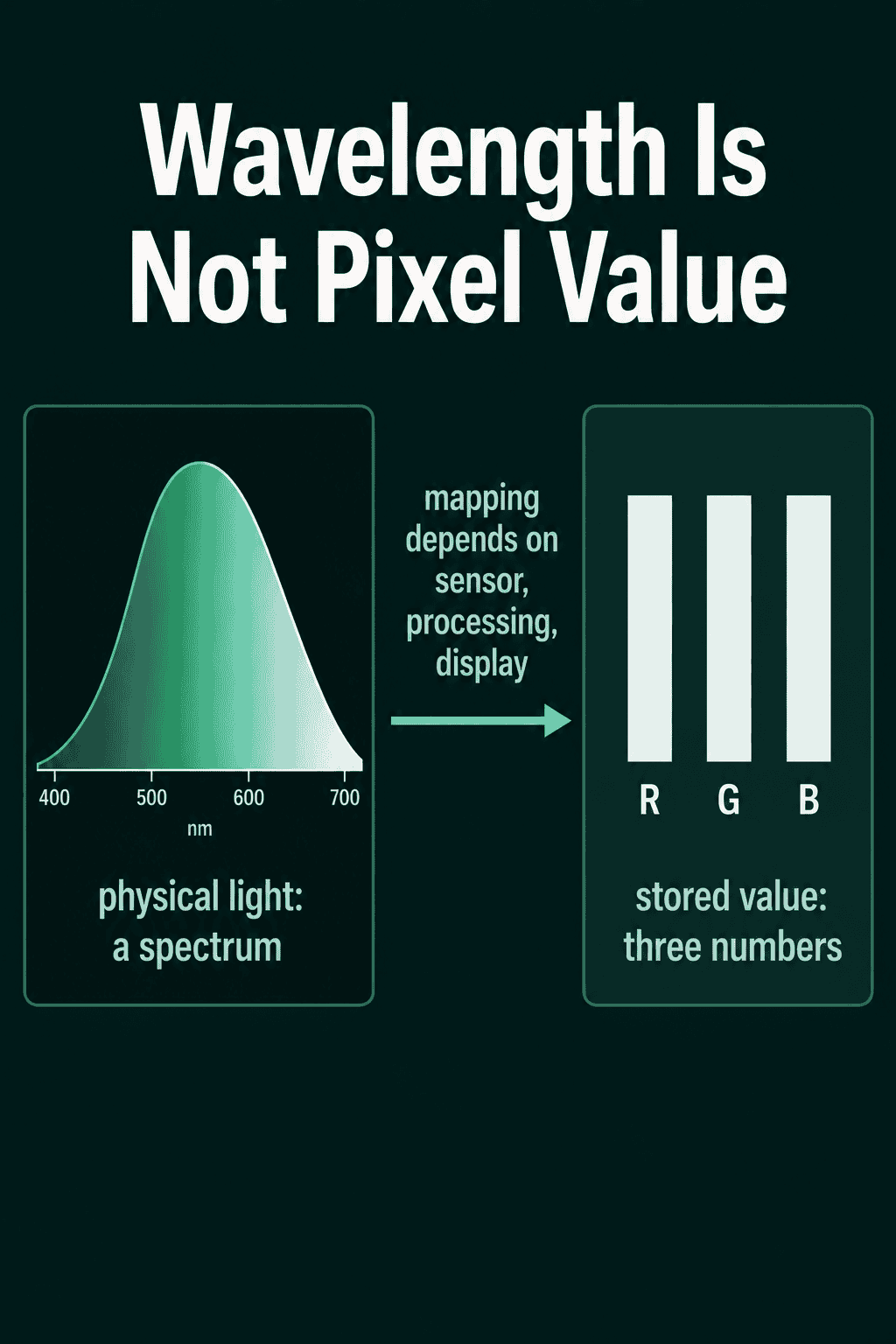
Real light is a mix of many wavelengths, and a pixel stores three numbers. How one becomes the other is not fixed. It depends on the sensor's color filters, the camera's processing and the screen that shows the result.
So two sensors seeing exactly the same light can report different RGB triples. The same file also looks different on different screens, because each screen applies its own color settings.
RGB is not how people see color
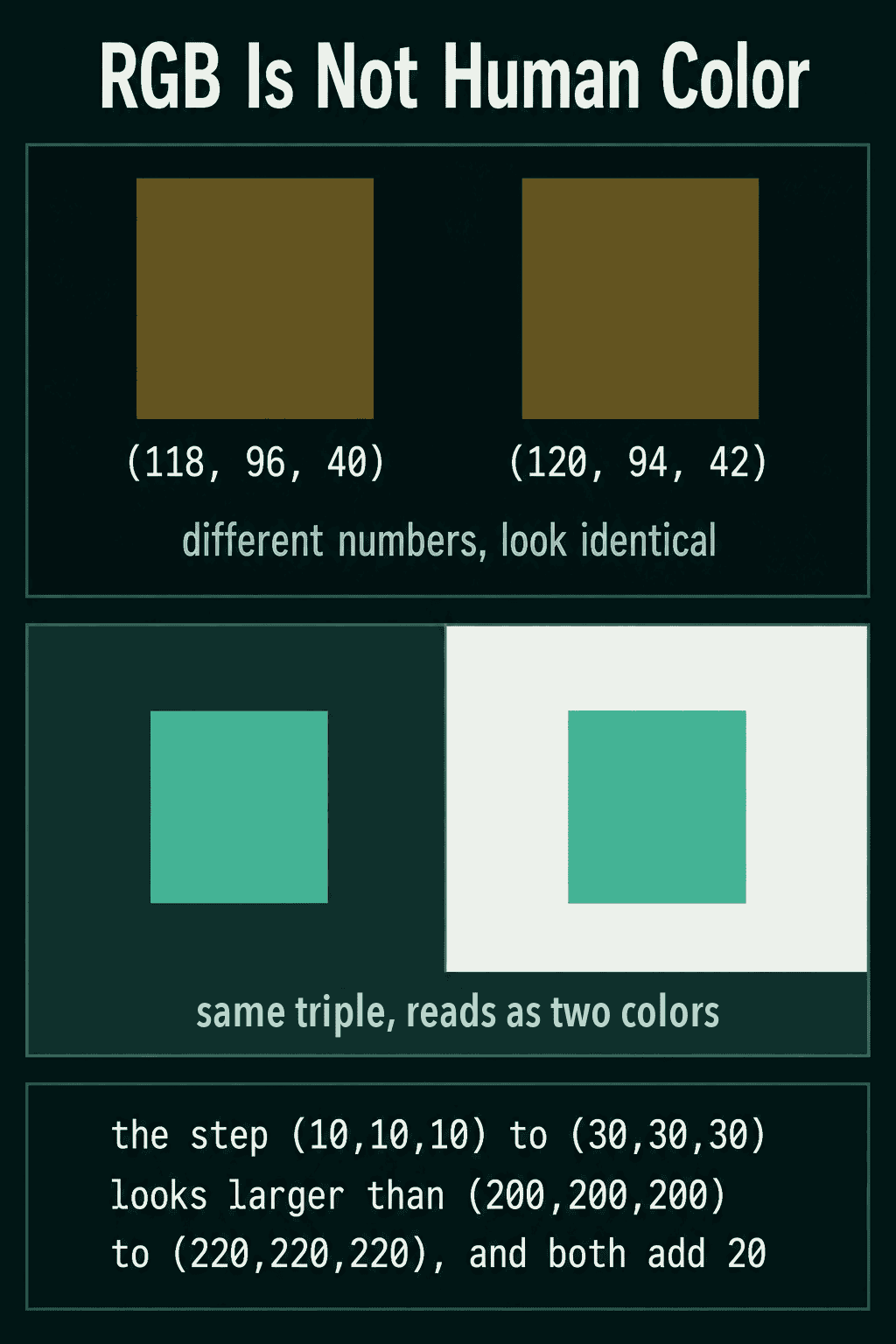
RGB is a format for storing and displaying color, not a model of how people see it. People judge color by its surroundings. The same patch looks different against different backgrounds, and a white shirt still looks white indoors and outdoors even though its pixel values changed.
Equal steps in RGB are not equal steps in how bright things look either. Going from $(10, 10, 10)$ to $(30, 30, 30)$ looks like a bigger jump than going from $(200, 200, 200)$ to $(220, 220, 220)$, even though both add 20 to every channel.
RGB vs BGR: the same numbers in a different order
A color image tensor holds three grids, one per channel. Most tools return them as red, green, blue. Some, such as OpenCV, return blue first and red last. The three grids are the same, in reversed order.
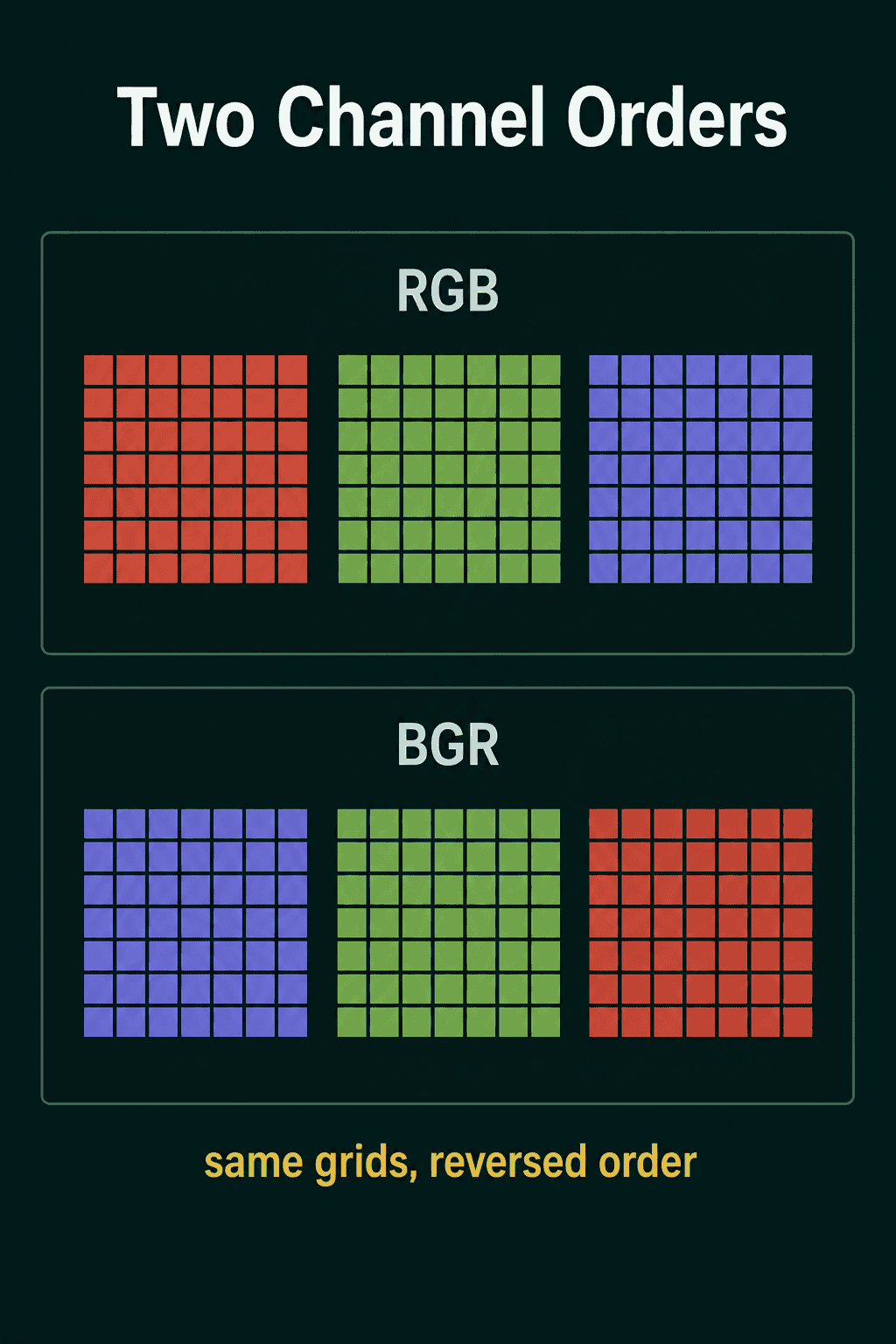
Read BGR as RGB and red and blue swap. Skies and water turn orange, and skin turns bluish. Grays stay the same, because a gray pixel has equal red, green and blue. The picture still looks like a coherent photo instead of noise, so in a scene with few strong colors the bug passes a quick glance.
To feed a BGR image to an RGB model, reverse the channel dimension:
import torch
def bgr_to_rgb(x):
# x: (3, H, W) float tensor, channels B, G, R
return x[[2, 1, 0]]
# one sky-blue pixel stored blue first, as OpenCV returns it
bgr = torch.tensor([[[0.9]], [[0.6]], [[0.2]]])
print(bgr.flatten()) # tensor([0.9000, 0.6000, 0.2000])
print(bgr_to_rgb(bgr).flatten()) # tensor([0.2000, 0.6000, 0.9000])x[[2, 1, 0]] builds a new tensor from channels 2, 1 and 0 in that order, so blue-green-red becomes red-green-blue. Read without the swap, the pixel above has red 0.9 and blue 0.2, which is orange. After the swap it has red 0.2 and blue 0.9, the sky blue it really is. If the colors still look wrong, check whether the swap ran twice: two reversals put the channels back in BGR.

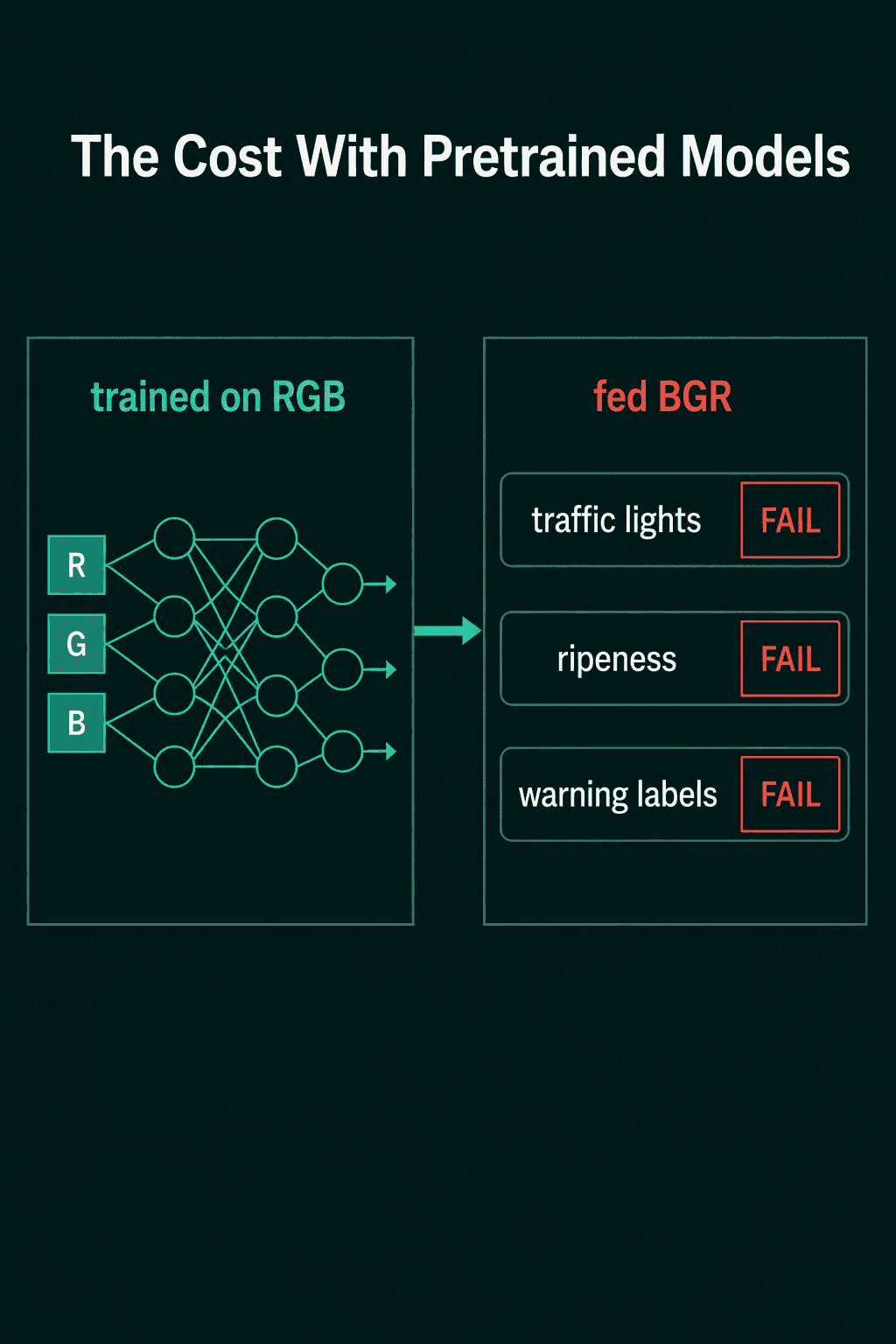
A pretrained model trained on RGB and fed BGR sees every color swapped, and its accuracy drops. Anything that depends on color fails outright, such as reading traffic lights, judging ripeness or spotting warning labels.
Why RGB mixes brightness and color
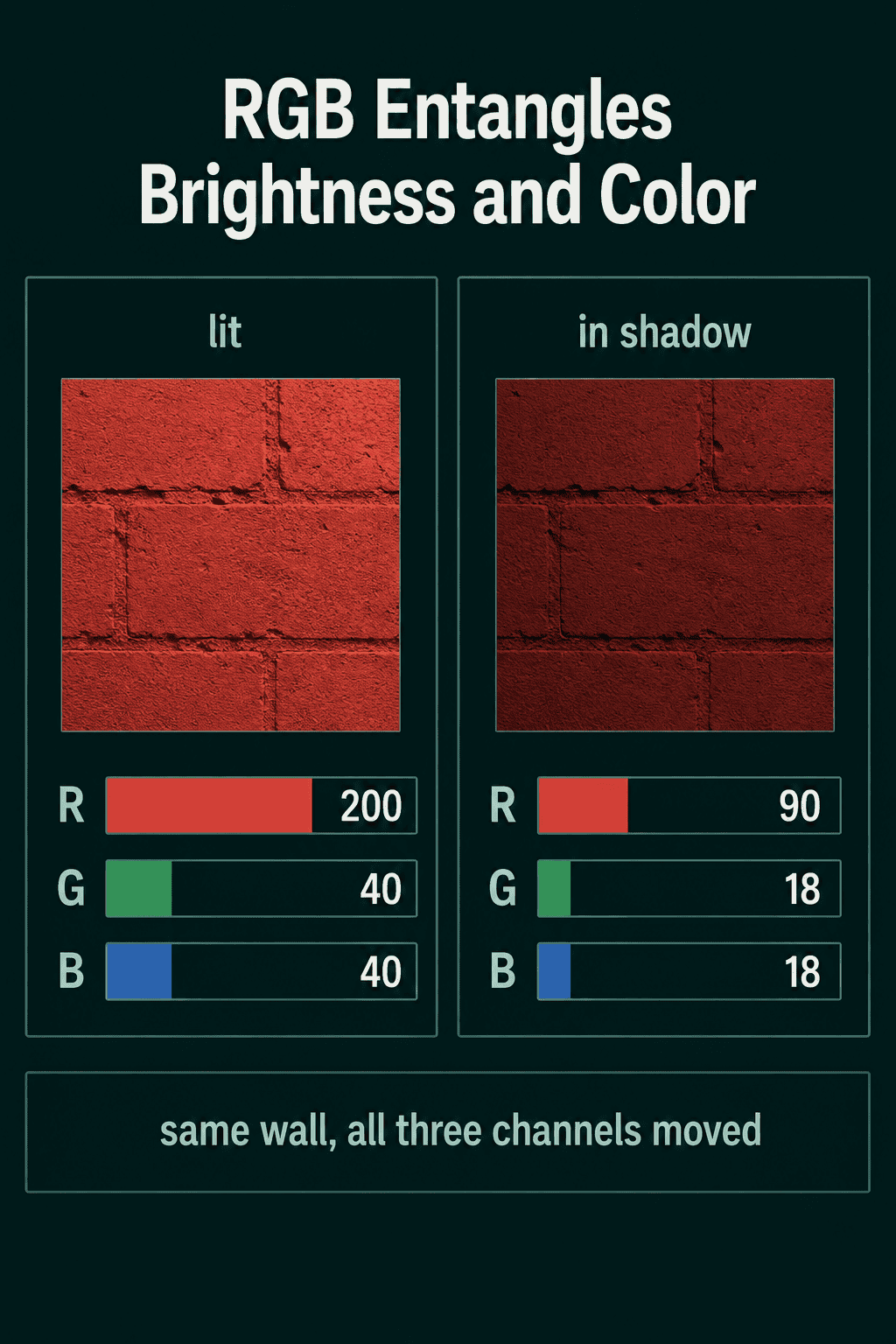
A shadow on a red wall lowers all three RGB channels at once. A lit patch of wall might read $(200, 40, 40)$ and the same wall in shadow $(90, 18, 18)$. Every channel dropped to about 45 percent of its lit value, so in RGB "darker" and "a different color" are mixed together. A rule like "red means a red channel above 200" fails as soon as the light changes.
Other color spaces split brightness from color, and the task decides which split is useful.
HSV: hue, saturation and value
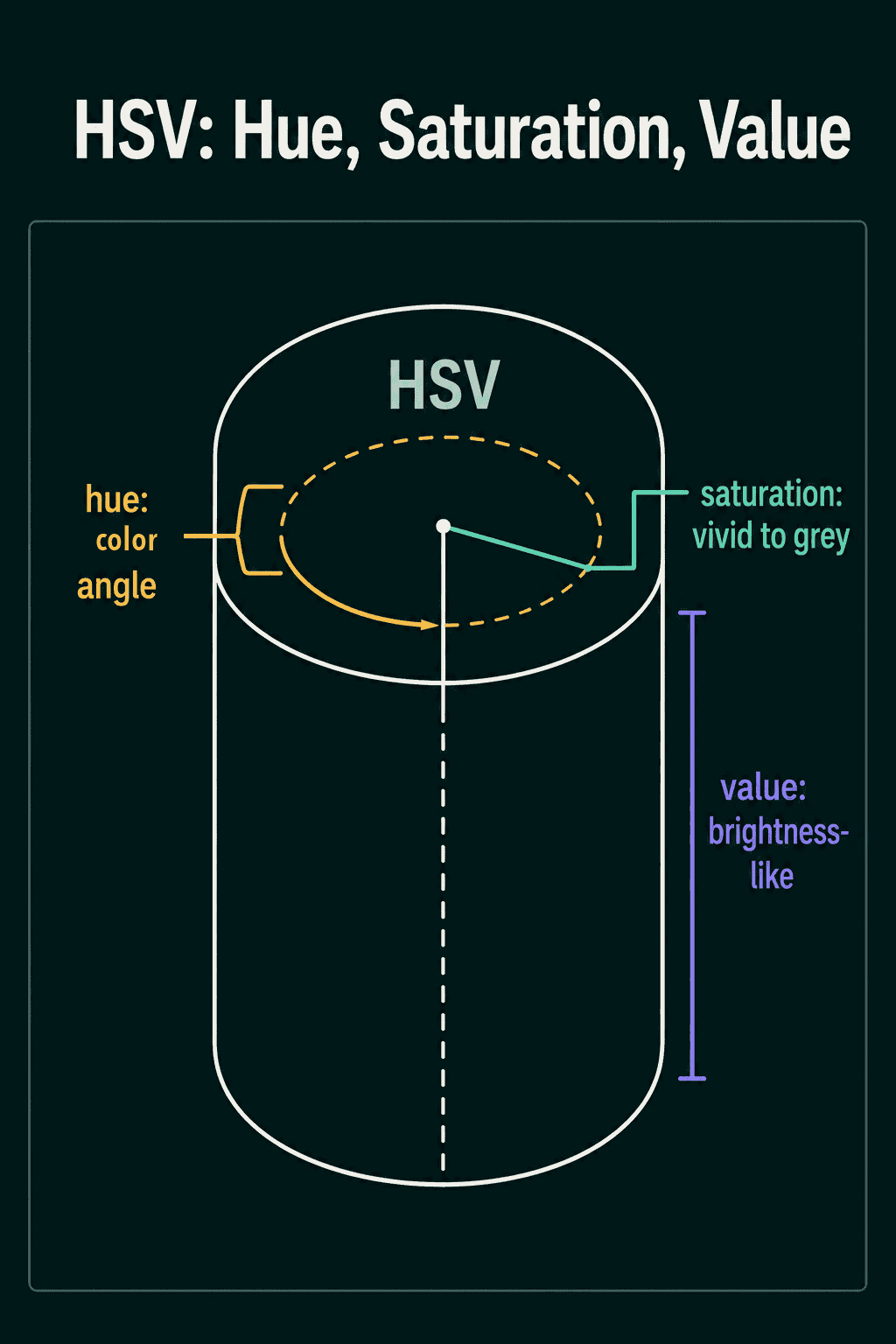
HSV splits a color into three parts:
- Hue is the color itself, as an angle around a circle that goes from red to green to blue and back to red. Red is 0 degrees, green 120 and blue 240.
- Saturation is how vivid the color is compared with gray, from 0 for gray to 1 for a pure color.
- Value is roughly brightness: the largest of the three RGB numbers.
A lighting change mostly moves value and leaves hue closer to stable. Converting the lit and shaded wall shows it. The code below uses the standard RGB-to-HSV rules: value is the largest channel, saturation is how far the pixel is from gray relative to that value, and hue depends on which channel is largest.
import torch
def rgb_to_hsv(rgb):
# rgb: (3,) float in [0, 1]; returns hue in degrees, saturation and value in [0, 1]
r, g, b = rgb.tolist()
v = max(r, g, b)
c = v - min(r, g, b) # how far the pixel is from gray
s = 0.0 if v == 0 else c / v
if c == 0:
h = 0.0 # gray: no color to take an angle from
elif v == r:
h = 60 * (((g - b) / c) % 6)
elif v == g:
h = 60 * ((b - r) / c + 2)
else:
h = 60 * ((r - g) / c + 4)
return round(h, 1), round(s, 2), round(v, 2)
lit = torch.tensor([200, 40, 40]) / 255.0
shadow = torch.tensor([90, 18, 18]) / 255.0
print("lit ", rgb_to_hsv(lit)) # lit (0.0, 0.8, 0.78)
print("shadow", rgb_to_hsv(shadow)) # shadow (0.0, 0.8, 0.35)
# two near-gray pixels that differ by about 1% in one channel
print("gray a", rgb_to_hsv(torch.tensor([0.50, 0.50, 0.51]))) # gray a (240.0, 0.02, 0.51)
print("gray b", rgb_to_hsv(torch.tensor([0.51, 0.50, 0.50]))) # gray b (0.0, 0.02, 0.51)The lit and shaded wall have the same hue, 0 degrees for red, and the same saturation of 0.8. Only the value changed, from 0.78 to 0.35. That makes simple color rules easier: pick a hue range for the target color and a minimum saturation, then keep the pixels inside both.
The last two lines show where hue breaks down. Near gray, white and black there is almost no color to take an angle from. Two grays that differ by 0.01 in one channel get hues of 240 and 0 degrees, so a little noise makes the hue jump around the circle. The minimum saturation in a color rule is there to skip those pixels.
Lab: distances that match how different colors look
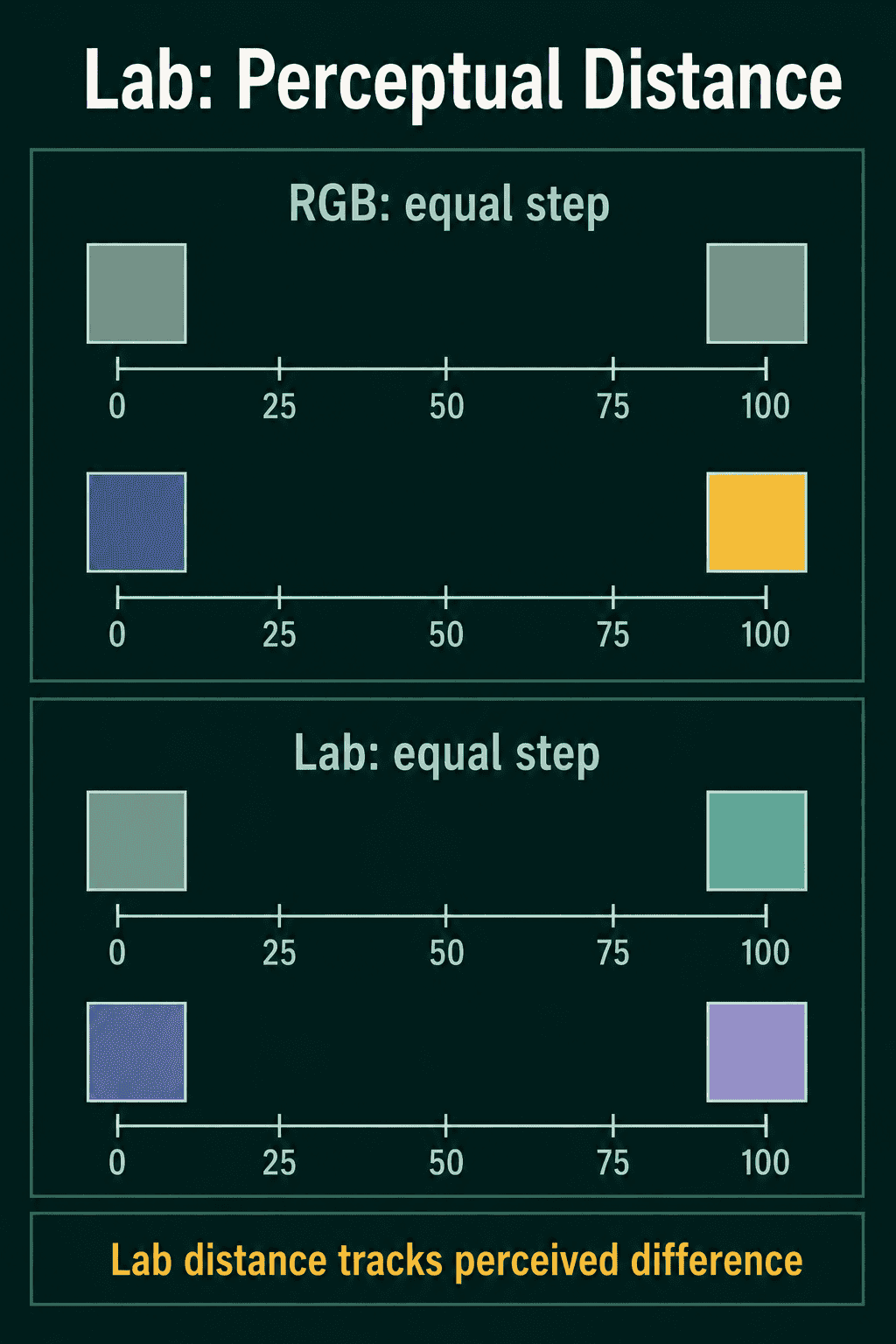
In RGB, equal numeric steps do not look equally different. Lab is built so that the distance between two colors' numbers roughly matches how different they look to a person. Its three numbers are lightness, a green-to-red axis and a blue-to-yellow axis.
Lab is the right choice when the color difference itself is what you measure, such as checking how far a printed color is from the target.
YUV and YCbCr: brightness and color stored apart
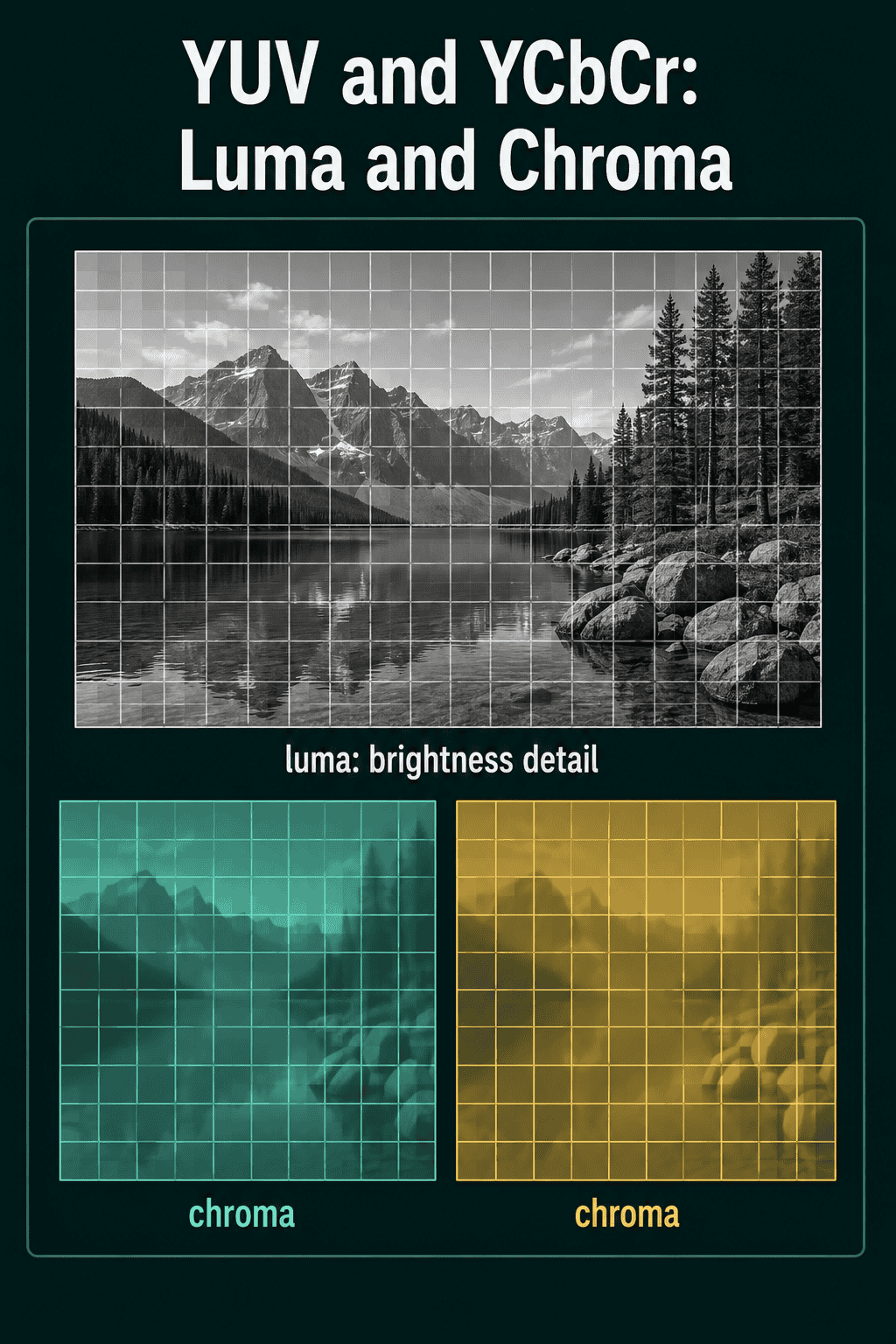
YUV and YCbCr split a pixel into one luma channel for brightness and two chroma channels for color. YCbCr is the digital version, used heavily in image and video compression.
People notice lost brightness detail far more than lost color detail. So compression keeps luma at full resolution and stores chroma at a lower resolution, which shrinks the file with little visible difference.
Turning RGB into one luma channel
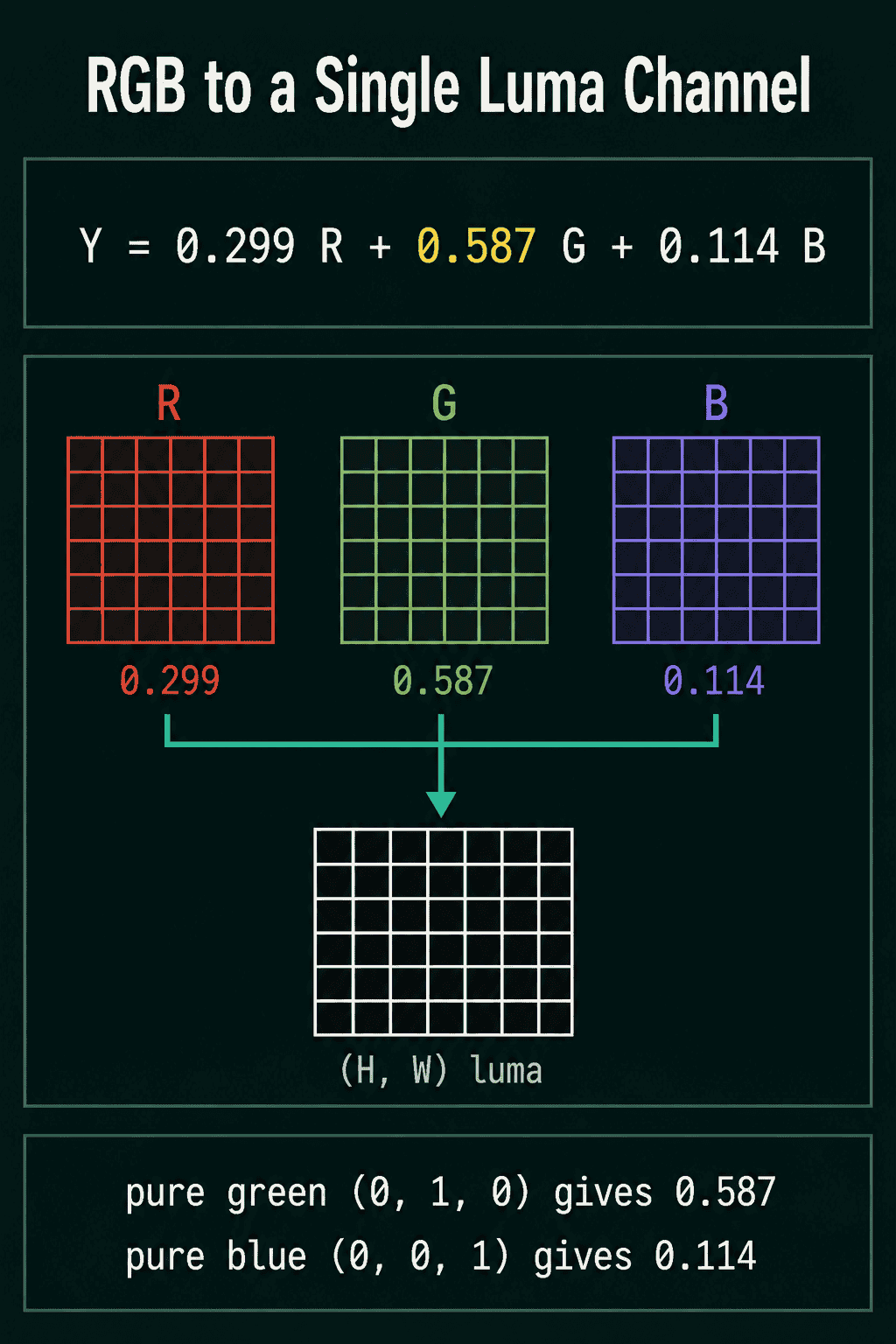
A common way to turn RGB into one brightness channel weights each color by how strongly the eye responds to it, then adds them. One widely used set of weights:
$$Y = 0.299 R + 0.587 G + 0.114 B$$
Green gets the most weight and blue the least. A pure green pixel $(0, 1, 0)$ gives $Y = 0.587$, and a pure blue pixel $(0, 0, 1)$ gives $Y = 0.114$. The weights add up to 1, so a white pixel $(1, 1, 1)$ stays at 1.
import torch
def rgb_to_luma(x):
# x: (3, H, W) float, channels R, G, B
r, g, b = x[0], x[1], x[2]
luma = 0.299 * r + 0.587 * g + 0.114 * b
return luma
# a 1 by 3 image: pure red, pure green, pure blue
x = torch.tensor([[[1.0, 0.0, 0.0]],
[[0.0, 1.0, 0.0]],
[[0.0, 0.0, 1.0]]])
print(x.shape) # torch.Size([3, 1, 3])
print(rgb_to_luma(x)) # tensor([[0.2990, 0.5870, 0.1140]])The output has shape $(H, W)$ with the channel dimension gone. Other libraries use other weights, so check which ones a library uses before comparing its grayscale output with yours. If this function gives strange results, check that the input is RGB and not BGR, since swapping red and blue moves the 0.299 weight onto blue.
Converting changes the value ranges
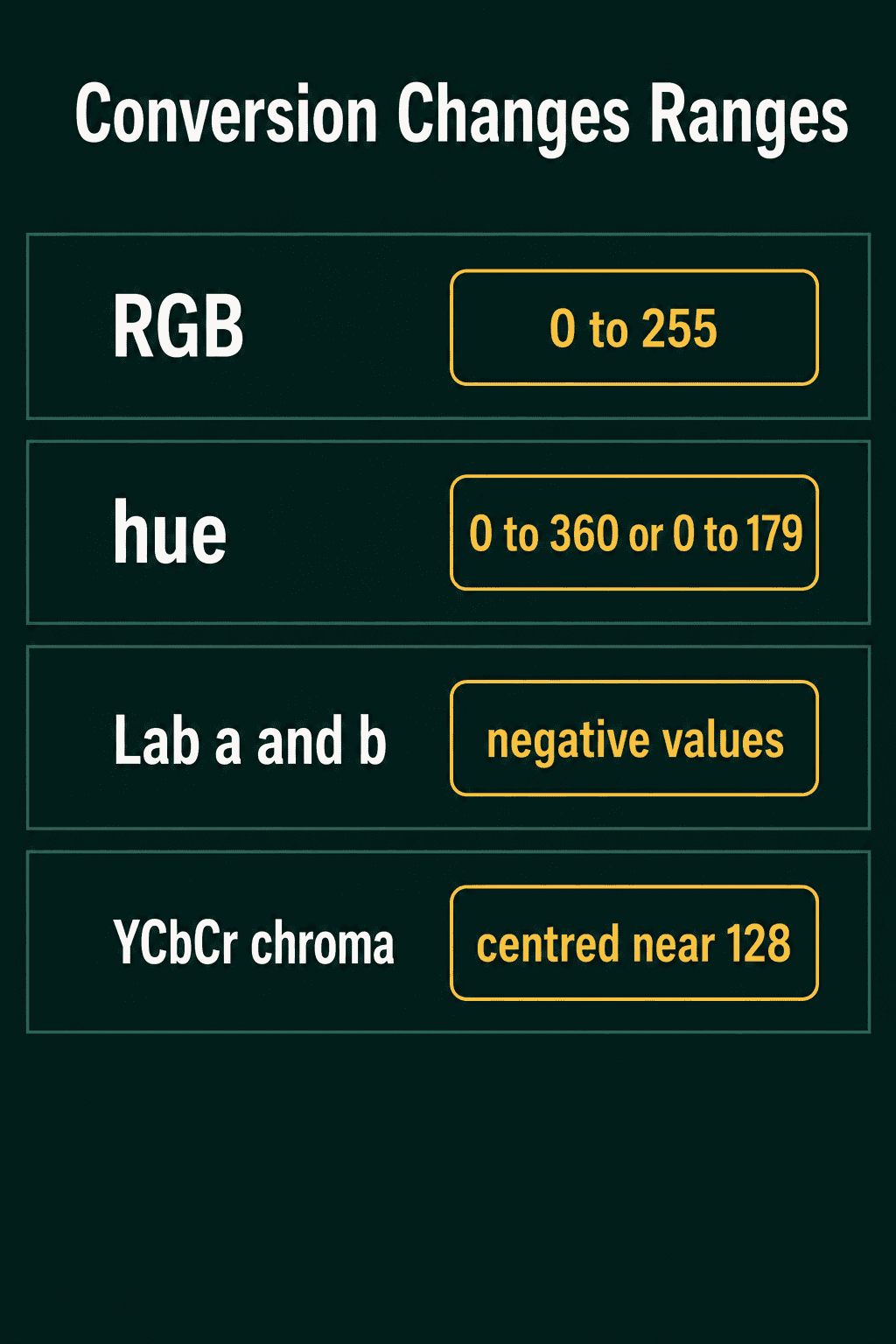
Converting to another color space changes the range of each channel. Hue might run from 0 to 360 or from 0 to 179 depending on the library, Lab's two color axes have negative values, and YCbCr chroma is centered near 128. Code that assumes 0 to 255 breaks after the conversion.
Choose a color space for a stated reason, convert, then look at the resulting channels before trusting them.
| Color space | Channels | Good for |
|---|---|---|
| RGB | red, green, blue | storing, displaying, model input |
| BGR | blue, green, red | what OpenCV returns |
| HSV | hue, saturation, value | simple color rules |
| Lab | lightness, green-red, blue-yellow | measuring color differences |
| YCbCr | luma, two chroma | compression, grayscale |
White balance: removing the color of the light
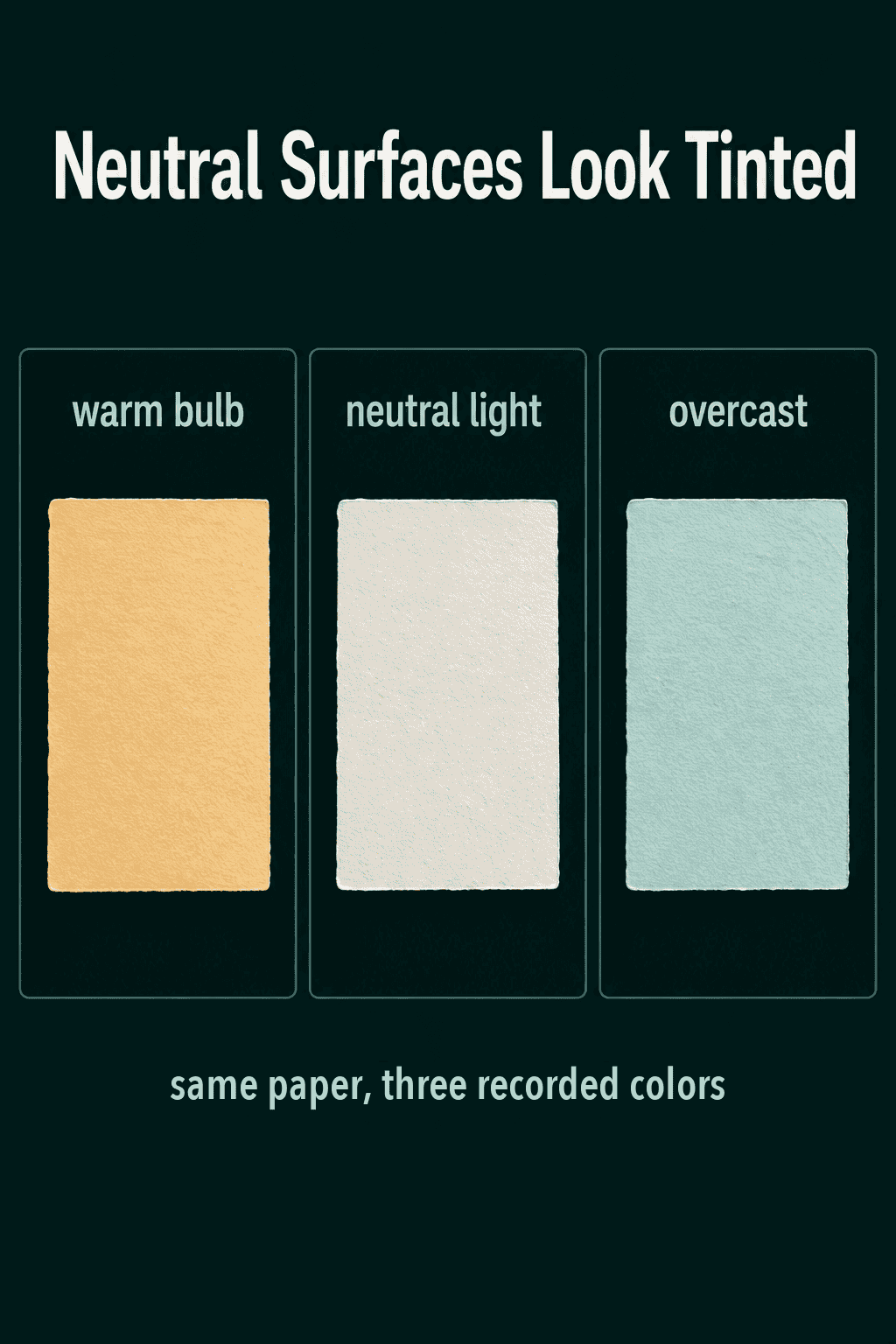
Under a warm indoor bulb, a white sheet of paper photographs orange-ish. Under an overcast sky it photographs blue-ish. The paper is the same in both photos.
White balance corrects for the color of the light by shifting the pixel values until a neutral surface reads neutral. Cameras do it automatically as part of their processing.
Gray-world white balance
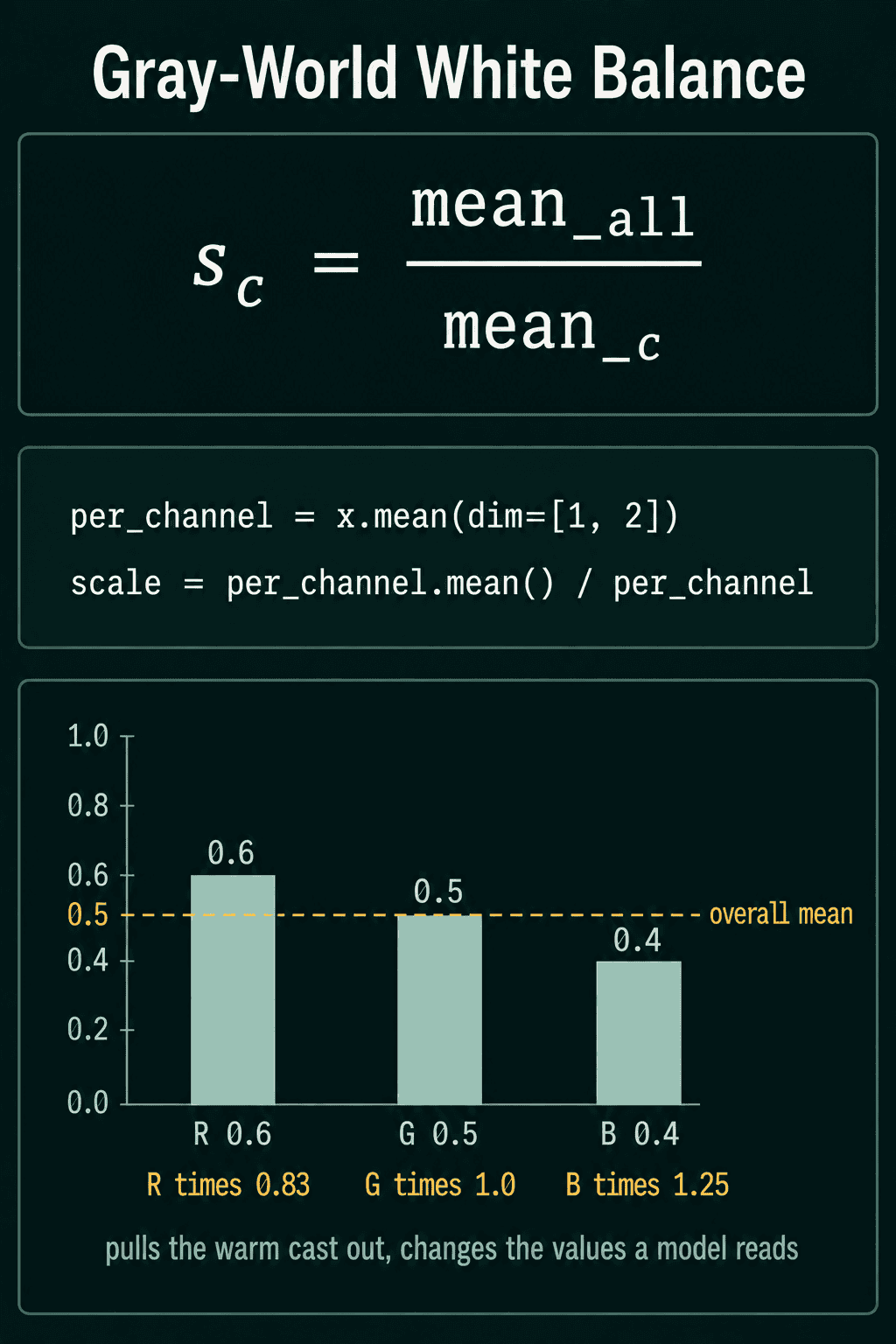
One simple white-balance rule, called gray world, assumes the average color of the whole image should be gray. Gray means equal red, green and blue. So the rule scales each channel $c$ until its mean $\bar{x}_c$ matches the overall mean $\bar{x}$ of all three channels. The scale for channel $c$ is:
$$s_c = \frac{\bar{x}}{\bar{x}_c}$$
For example, say a photo under a warm bulb has channel means 0.6 for red, 0.5 for green and 0.4 for blue. The overall mean is 0.5. Red is scaled by $0.5 / 0.6 = 0.83$, green by $0.5 / 0.5 = 1$ and blue by $0.5 / 0.4 = 1.25$. Red comes down, blue goes up, and the warm cast is pulled out.
import torch
def gray_world(x):
# x: (3, H, W) float
per_channel = x.mean(dim=[1, 2]) # (3,)
gray = per_channel.mean() # scalar
scale = gray / per_channel # (3,)
return x * scale[:, None, None]
# a 2 by 2 photo under a warm bulb: red reads high, blue reads low
x = torch.tensor([[[0.7, 0.5], [0.6, 0.6]],
[[0.6, 0.4], [0.5, 0.5]],
[[0.5, 0.3], [0.4, 0.4]]])
print("channel means before:", x.mean(dim=[1, 2]))
print("scales:", (x.mean() / x.mean(dim=[1, 2])))
print("channel means after: ", gray_world(x).mean(dim=[1, 2]))
# channel means before: tensor([0.6000, 0.5000, 0.4000])
# scales: tensor([0.8333, 1.0000, 1.2500])
# channel means after: tensor([0.5000, 0.5000, 0.5000])x.mean(dim=[1, 2]) averages over height and width, giving one mean per channel. scale[:, None, None] reshapes the three scales to $(3, 1, 1)$ so each one multiplies its whole channel. After the correction all three channel means are 0.5. This changes the pixel values the model reads, not only how the image looks.
White balance and domain shift
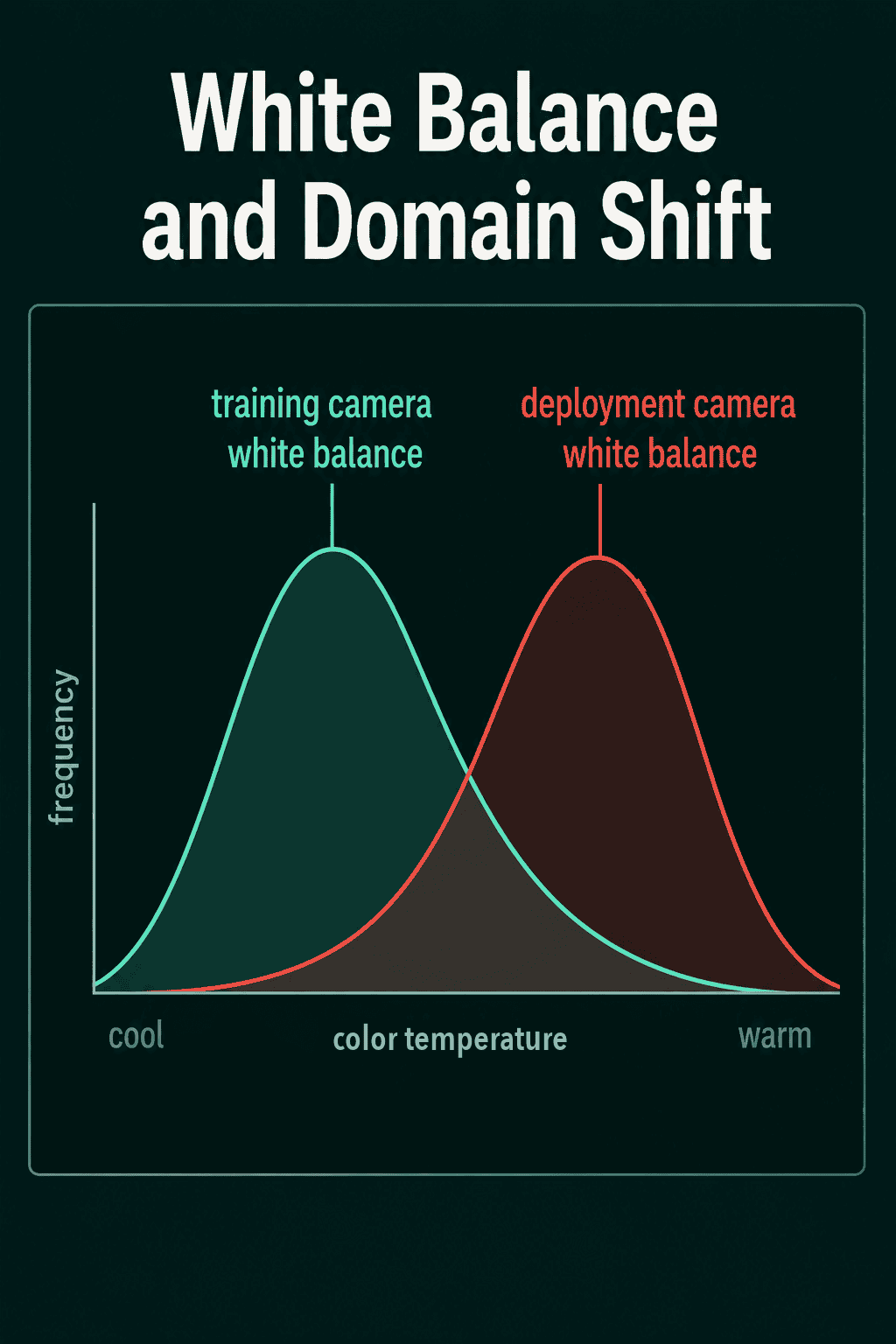
Cameras apply white balance automatically, and each one does it differently. A dataset from one camera has that camera's white balance in every photo. Running the model on a camera with different white balance shifts the colors it sees. When the images a model sees in use differ from its training images like this, it is called domain shift.
Common mistakes
- Feeding BGR to an RGB model. Images loaded with OpenCV come in BGR. Reverse the channels with
x[[2, 1, 0]]once, right after loading. - Writing color rules in RGB. A threshold on the red channel breaks when the light changes. Use hue plus a minimum saturation instead.
- Trusting hue on gray, white or black pixels. Hue is close to random there. Skip pixels with low saturation.
- Assuming 0 to 255 after a conversion. Hue, Lab and YCbCr each have their own ranges. Print the min and max of each channel.
- Mixing grayscale weights between libraries. Two libraries can give different gray images from the same RGB input.
- Ignoring white balance when changing cameras. A new camera can shift every color the model sees. Test on its photos before trusting the results.
Related concepts
How images are stored as tensors covers channels, shapes and where the channel dimension sits. How a camera makes an image explains demosaicing and the camera's automatic white balance. Image normalization for deep learning covers the per-channel mean and std that usually follow the color conversion.
QuiddityML teaches color spaces and white balance in the images-as-data unit of its Computer Vision track. Learners there write rgb_to_luma and gray_world from scratch, match the gray-world formula to its code, and spot the bugs in a broken white-balance function (QuiddityML).